Find any email in seconds
AI-powered search for Outlook — faster and smarter than native search.
Inbox Search is an Outlook search add-in that builds a local fingerprint index of your mailbox using on-device AI, so you get instant, accurate results without anything leaving your computer.
Inbox Search is an Outlook add-in that replaces Outlook's slow, keyword-only search with fast, AI-powered hybrid search. It builds a local fingerprint index of every email in your primary mailbox using semantic embeddings and TF-IDF keyword analysis, so you can find messages by meaning — not just exact words. Search "budget discussion from last quarter" and get results even if none of your emails contain that exact phrase — including emails that Outlook search quietly drops.
Everything runs on your device using a lightweight AI model via Transformers.js and WebAssembly. No email content is ever sent to a server. The index is stored in your browser's local storage, stays up to date automatically, and is deleted when you uninstall. Inbox Search works with Outlook on the web, new Outlook for Windows, and classic Outlook for Windows and Mac.
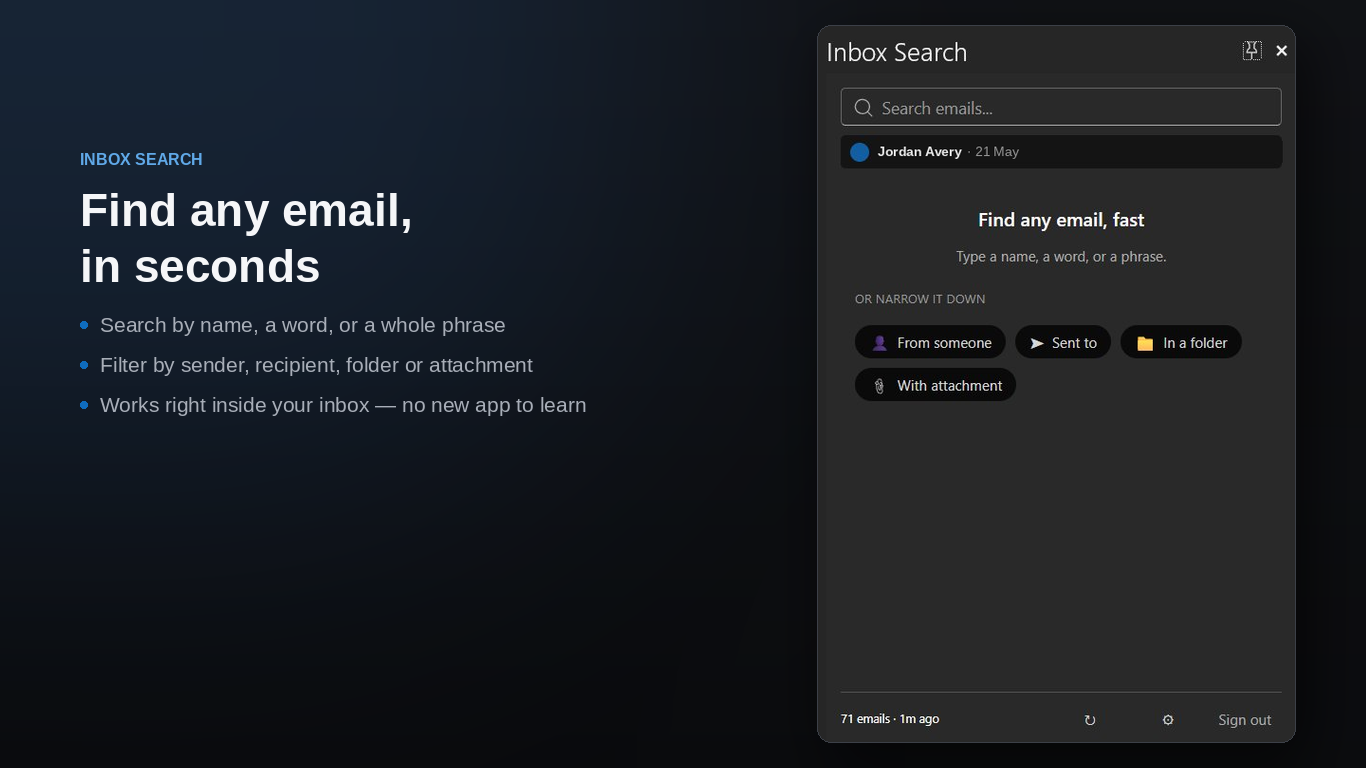
Outlook search that actually works
Outlook's built-in search is slow and misses what you're looking for. Inbox Search fixes that.
Semantic + keyword search
Combines AI embeddings with TF-IDF keyword matching. Find emails by meaning, not just exact words.
Instant results
Search 10,000 emails in under 500ms. Results appear as you type, ranked by relevance.
100% private
The AI model runs entirely on your device. No email content is ever sent to external servers.
Local index
Builds a fingerprint index of your mailbox stored in your browser. Always up to date, always local.
Zero configuration
Install it, let it index, and search. No setup, no rules, no training needed.
Works everywhere
Outlook on the web, new Outlook for Windows, and classic Outlook for Windows and Mac.
How it works
Install the add-in
Add Inbox Search to Outlook. It begins indexing your mailbox in the background.
Index builds locally
A lightweight AI model creates a fingerprint of each email — all processing happens on your device.
Search instantly
Type what you're looking for in plain language. Results are ranked by meaning, not just keywords.
Your emails stay on your device
Inbox Search processes everything locally using a small AI model that runs in your browser. Microsoft Graph is used only to read your emails for indexing — nothing is stored on our servers.
Read the full privacy policy →- No email content sent to external servers
- No analytics or tracking cookies
- No account creation required
- Search index stored locally on your device only
- Minimum required Microsoft Graph permissions
Frequently asked questions
From the blog
June 2026
Outlook Search Indexing Slow or Stuck? How to Rebuild It (2026)
Outlook search slow or returning partial results? Learn how to check indexing status, rebuild the search index, and fix a stuck index.
June 2026
Outlook for Mac Search Not Working? How to Rebuild the Index (2026)
Outlook search not working on Mac? Learn how to rebuild the Spotlight index, run the OutlookSearchRepair utility, and fix no-results errors.
June 2026
Every Outlook Search Operator & Syntax Command — 2026 Cheat Sheet
Complete reference of every Outlook search operator — from:, subject:, hasattachment:, date ranges, Boolean logic, and more.
Stop losing emails in your inbox
Inbox Search is an Outlook add-in. Fast, private, semantic search — available now.
Install from Microsoft Marketplace